There's no colour scheme that can adequately handle all the possible variations.
But there are other problems: it makes no sense to have all 4 ports on a 15" Macbook Pro (for example) support power. You only need one port to charge with. I think I read that not all the ports on the 13" Macbook Pro are the same (in terms of capabilities).
This is just strikes me as a (hollow) victory for principle ("one port/cable to rule them all") over pragmatism. This always reminds me of the quote: a foolish consistency is the hobgoblin of small minds.
This whole thing is expensive, unnecessary, user-unfriendly and confusing (to the average user).
Insanity seems to be the right word for USB-C.
Let's imagine you buy a new monitor, which has a usb-c port. Fortunately, your device also has a usb-c port so it will just work, right?
Well, that monitor could support at least the following protocols over that cable:
- Displayport, obviously.
- HDMI, because that might be useful in some cases.
- MHL Alternate Mode for USB 3.1, which is not-quite-HDMI.
- USB itself, like the external mini video cards created by DisplayLink
- PCI-E, as the monitor could contain any regular video card. Unlikely, but technically possible.
Is the monitor going to work when plugged into your laptop? What about your phone? Will it charge either of those? I'm not sure how this has managed to gone this horribly wrong, but somehow "supports usb-c" has become completely meaningless. Oh, and it can also support analog audio as well!
And if anyone thinks I'm exaggerating, please tell me which devices do and which do not work with this "usb-c to vga" adapter, because to me it is literally impossible to tell: http://www.belkin.com/uk/p/P-F2CU037/
In other words, they're still different ports (for all practical purposes), they just all have the same connector shape (which makes it harder, not easier, for the reasons you mention).
Put that way, I'm not entirely sure it's worse. Coming from a world where the connector helped you determine what you could do, it seems worse, but that's because we've all internalized the cost of not having the right cable and having to buy different cables for everything. Having a cable that works for most things (if you were lucky enough to buy a good cable, and I'll freely admit that is a clusterfuck of planning) leaves you with just having to know if your ports will work together. That seems solvable, even if it's not currently solved. I think we're a step closer to the dream of a simplified connector ecosystem, even if we aren't quite there yet.
The problem is the unicorn cable that can safely support the dizzying array of power and data transfer options afforded by USB-C costs alot and negates the cost advantage of a single port.
USB-C solves problems that nobody actually had, and in doing so creates a bunch of new ones that are expensive and difficult to solve for the end user. It isn’t quite as dumb as 801.11ad docking, but it’s close.
How long is a generation? USB-C products have been in production and shipping since 2014. It's been on the drawing board way before then.
When the first USB rolled out I don't remember any issues like this. The big problem with previous tech was lack of support (like only having one usb-2 port and the rest being usb-1.1) and expensive cables (we do have those with USB-C). These[1] were fairly ubiquitous for a good 10 years and I don't remember any issues.
I feel like there could have been better consumer-facing design--like color bands to mark support on cables and ports (just like USB-2 was blue and USB-3 were red). They would designate if a cable or port would support Thunderbolt, USB-3, HDMI, DisplayPort, or high power. Resistors have been doing it for almost 100 years and this version would be much simpler. Or like PCI-E have like a lane system where more lanes support higher level features.
But this isn't only a branding problem with incompatible cables. You just can't have a USB-C hub with this standard. From my (possibly flawed) understanding, because USB-C switches modes to carry something like DisplayPort, for example, you can't also carry a USB-C signal at the same time, so you can't split USB-C (without one of the ports shutting off while in that mode). Maybe you could if you hub didn't support those exclusive modes? I haven't seen any actual USB-C hubs for sale (that give you more USB-C ports on the other side).
> From my (possibly flawed) understanding, because USB-C switches modes to carry something like DisplayPort, for example, you can't also carry a USB-C signal at the same time
A USB-C connector has one USB 2.0 pair, four high-speed differential pairs, and two sideband wires. For USB 2.0 you need only the USB 2.0 pair, for USB 3.1 you need the USB 2.0 pair and two of the high-speed differential pairs.
For DisplayPort, you need two or four of the differential pairs, plus the two sideband wires. If you're using two of the differential pairs for DisplayPort, you can use the full USB 3.1 at the same time; if you're using four of the differential pairs for DisplayPort, you still have USB 2.0 left.
The same applies to other alternate modes. As long as they need at most two of the differential pairs, you have USB 3.1, otherwise you have USB 2.0. And power delivery has its own set of wires, so it's also always available.
(The exception is the 3.5mm plug adapter alternate mode, where everything except analog audio and slow charging is unavailable.)
> From my (possibly flawed) understanding, because USB-C switches modes to carry something like DisplayPort, for example, you can't also carry a USB-C signal at the same time, so you can't split USB-C (without one of the ports shutting off while in that mode).
I'm not sure how all those one-cable USB-C docking stations work then, as they carry video and audio one direction (to the dock and then out to the screen), and multiple USB devices and power the other direction (from the wall and connected peripherals and through the dock). If it truly couldn't do multiple things at once, none of these docking stations would work with a single cable, and they do.
After looking some more I do see a few hubs that offer 2 usb-C ports in a hub, but no more than that and I see nothing but complaints: for example, it doesn't carry power or can't send a signal to their monitor. A Belkin rep replied and said that their hub is designed for peripherals, but I don't see any technical reasons.
This post[1] says
> What the problems is - how the USB-C lines within a cable are used is determined at plug-in time, depending on what you plug in downstream of the port. For example, you can't have full speed USB 3.1 and full video at the same time. So the USB-C makes a choice for you. If you plug in both a high-res monitior and USB 3, then you can't have both at once.
Still not technically clear to me. It does sound like with just a hub your transfer speed will drop when using a hub and driving a monitor. Maybe the limitation I'm thinking of is if USB-C is carrying something like Thunderbolt, you can't carry a second Thunderbolt signal? Because USB-C splitting compromises so much, they're so rare in the market?
I have heard the order in which you plug in USB-C will tell it which direction to charge (which gives credence to things being determined at plug-in time). For example, plugging the cable into your phone then plugging it into a computer will make the phone charge the computer instead of vice versa. When I heard that they were speaking about a specific phone and laptop, so it wasn't theoretical, but I'm having a hard time corroborating this. This [2] article says the direction power flows is a computer setting. What's scary is there's a lot of articles warning you not to use your USB-C laptop charger to charge your phone because it could fry it.
Thunderbolt combines PCI Express (PCIe) and DisplayPort (DP) into two serial signals and additionally provides DC power, all in one cable. Up to six peripherals may be supported by one connector through various topologies.
Yeah, seems like just putting icons near the port, showing the supported technologies, would solve the problem just as well as having different ports, while not requiring different cables or space on the devices.
No. As a hardware designer, I can tell you that is a terrible idea. Yes, it looks clever at first sight (all of us went through that phase of thought). But then when you get the physical device and you get to use it, it is only a matter of days or weeks before you encounter many problems with that choice of design (inconvenience at best).
Even if the signals of some ports are electrically compatible, I try to use different shapes of connector for them if they are not logically compatible (the functions are fixed, not swappable). Because you can be sure nobody will always look at icons which are faint, small, can only be seen correctly under a certain angle and light, etc. Supposing you even know which icon means what. Supposing you can even have a sight of the icon and port, that it is hidden behind something and you have to try if it fits blindly.
You do not want to be called every other day because "it doesn't work anymore" because someone connected the wrong device to the wrong port :-). So for some serial ports with incompatible functions, you do not put all DB-9 ports, you put 1 DB-9, 1 round DIN, 1 rectangular (and hope they do not manage to fit the rectangular connector in the DB-9), 1 DB-25... It looks messy, shambolic? Yes it does. Definitely. But it is efficient because it is idiot-proof. And I mean a very large definition of 'idiot' which encompasses about everyone.
I can tell you about the number of times I 'plug' a USB cable into a DisplayPort or the power cable into the telephone plug because they sit in the same area and have sort of compatible shapes... I generally quickly notice because it does not fit well, but just imagine the nightmare if they were truly the same physical connectors...
I think my proposal wasn't clear: you wouldn't have a DisplayPort and a telephone port on the device, distinguishable only by the icon.
I think the point of USB-C is that the same port can support both functions, and so you don't have to care into which port you actually plug-in the cable. My proposal was just for when you were buying a new device, to make sure it supported the same technology as your existing devices - only then you would compare the icons.
You just reminded me of how I killed my first iPod: I somehow managed to plug the cable in upside-down. FireWire was designed to only fit in one way, but for whatever reason, the FW port I plugged it in to didn't fight back when I hurriedly tried to plug it in upside down.
Yes. What defines the protocol is the endpoints, not the cable. Just avoid the "USB 2.0" USB-C cables, which do not connect all the pins (only the ones needed for USB 2.0). Of course, higher speeds and higher charging currents need a higher grade of cable, but that higher-quality cable will work with lower speeds and lower currents. Take a look at the Wikipedia article: https://en.wikipedia.org/wiki/USB-C
AIUI: nothing is protocol-incompatible, but Thunderbolt-compatible cables are short, stiff, and expensive. So you can buy only those, but you do make sacrifices to do so.
It's certainly worse from one aspect--you get less of the ports because they have to support so much. My laptop has a power port, two Thunderbolt, two USB-A and an HDMI. The new ones have just two USB-C, which can do all that stuff, but you only get two of them (or just one if you are plugged into power!).
I have the 15" MacBook Pro which has 4 USB-C ports. I also picked up the HDMI adapter. The adapter has a USB-A port, an HDMI port, and a USB-C power pass-through port. By plugging my charge cable into it I get power, external USB, and an HDMI monitor and it takes up only 1 USB-C port. I also like the fact that I can plug this contraption into the laptop from either side.
I would much rather have 4 USB-C ports than even 8 ports that all do one thing only. It's like having $40 cash instead of 8x $10 gift certificates (of which perhaps only one you might want to use).
I understand your point, but my experience is the opposite. On my old MBP, I'd be using nearly every port when docked at the desk. My 2016 MBPwT has only four connections which means that at power+GbE+DP+mouse&keyboard I'm now out of ports for anything else. My only option is spend even more money on a docking station which has its own share of problems (I've been searching for a decent one forever).
It wouldn't be so bad if it wasn't for the fact that USB-C/TB3 has been such a disaster and even mechanically a disappointment.
I was stoked before getting my Dell Precision 5510 (aka XPS 15 Pro) that it would have a USB-C docking station. It would be awesome with one tiny cable for power+displays+all my desktop USB devices.
But it's never actually worked, I ended up RMAing the docking station. Since the laptop itself can only support one display, I can't have dual monitors. So now I have a 43" 4K monitor, a USB hub and a power connector that I need to plug in/out all the time. And Win10 still gets confused about DPIs and scaling and stuff.
On my ancient-but-still-kicking Dell Precision, at least the docking station actually works and you can simply click in and out in three seconds.
For now. As those old ports become more obsolete they won't disappear, they will be repurposed as USB-C. Some laptops have both mini-displayport and HDMI (HP Pavilion). My Dell XPS has USB-c/Thunderbolt 3 and HDMI. At some point, HDMI will become less common, and that will free up space and resources for other ports. As USB-A becomes less common, laptops will ship with an extra USB-C and one less USB-A, until eventually, no USB-A at all. When's the last time you saw a PS2 port on a laptop? It used to be standard.
For me, I'm enjoying the power of the USB-c/Thunderbolt connector on my Dell XPS. I use a docking station, which I'm sending 4k video and audio out to while receiving video, mouse, ethernet and power over the same cable. One cable docking is amazing, and really shows off the possibilities of the technology (although in this case I'm pretty sure it's Thunderbolt doing the heavy lifting).
But the CPU and chipset need to talk to all those ports. If any USB-C port can suddenly need to do Thunderbolt 3, that’s ridiculous bandwidth requirements. You probably can’t do that to 8 ports on anything.
This is exactly the sort of problem that tends to go away over time (often before it becomes an actual problem for very many people). The PCI-E and even RAM bandwidth of modern chipsets would have been absolutely astounding 10 years ago.
You can share bandwidth among the ports. The default option for 8 ports would use 4 PCIe lanes for each pair of ports. But even full bandwidth for all ports is 32 lanes, not too hard to do.
But even my CPU could manage to have 8 lanes feeding a GPU and 8 lanes feeding a switch for the thunderbolt ports, something that provides enough bandwidth for the vast majority of use cases.
> As those old ports become more obsolete they won't disappear, they will be repurposed as USB-C.
... But they have already disappeared. The 13" Macbook Pro that I'm talking about just has those two USB-C ports and none of the others. If you are plugged in for power you just have one port.
If you buy a 13" laptop you make concessions for on-device connectors, as you always have for ultra-portables. The solution is the same as it's always been, get a larger laptop, or use a connector hub. As for your Macbook Pro, that's Apple. Using the one company that's known for doing their own thing and obsoleting ports before every other company does as your case for USB-C having caused other ports disappear already isn't a convincing to me. For example, the touch bar version of the Macbook Pro 13" has four USB-C ports. Apple has made a decision to obsolete USB-A. I'm not surprised, for the reasons I gave before.
Yep - there's no obvious way to tell what accessories will work together anymore.
My Switch is another great example. It won't even charge with some of my adapters, and I had to get a C -> HDMI splitter that was designed specifically for the Switch, despite the fact that Nintendo isn't even using any proprietary protocols (just less common ones).
But in the case of wifi or bluetooth you don't have to think about if your transfer medium supports the protocol or not (it's just dumb vacuum). In the case of USB the cable can be the weak link.
Also in the case of wifi and bluetooth compatibility issues have a chance to be resolved in software on your end. In the case of USB the list of supported protocols is the property of the hardware interface and the options to resolve these issues are limited.
In the end if you buy a device that has an "USB" port the specification that it has "USB-C" is meaningless, you want to know the exact list of hardware protocols that the port supports.
> But in the case of wifi or bluetooth you don't have to think about if your transfer medium supports the protocol or not
Sure you can - it's gotten better in recent years, but it used to be that a lot of devices didn't support WPA2. This was (typically at least) not fixed in software.
A coworker of mine had a Cinema Display plugged in to the Thunderbolt 2 port on her old laptop. When she upgraded to the Thunderbolt 3 MacBook, she bought a Thunderbolt 2 -> 3 adaptor for the monitor.
Turns out that it was a mini-DisplayPort version of the Cinema Display, and that even though it worked fine with the built-in Thunderbolt 2 port, it didn't with the one in the adaptor. She ended up trading her Cinema Display with somebody who had the Thunderbolt version and an old laptop, because at the time that was easier than finding an mDP->USB-C adaptor.
> This whole thing is expensive, unnecessary, user-unfriendly and confusing (to the average user).
And yet, very profitable for the companies rolling it out so poorly, who can charge more for products featuring the new ports and nickel-and-dime us with expensive adapters, dongles, and cables to replace the perfectly functional USB-A ecosystem.
It's quite a clever trick they've managed to pull on their customers -- convincing us all our problems can be hand-waved away with a single, forceful utterance of "it's the future", thus relegating any criticism to "whining and moaning" about first-world problems.
That even Apple can't manage to simplify the mess within its own laptop line, let alone tablets and phones, is indicative of how poorly thought out this whole idea was from the start. They seem to have a device for just about every combination of incompatibility that is possible.
The goal was noble:
- provide enough power to charge an external device and ditch the bulky power supply and second cable
- support extremely high-speed devices like monitors and SSDs
- standardize the connector with a slimmer, symmetric design
And this is the same Macbook Pro that for reasons that I can't fathom moved the headphone jack to the right side despite every (single) headphone cable going to the left can.
> every (single) headphone cable going to the left can.
FWIW a number of studio headphones support plugging in a cable to either can rather than restricting you to just the left one, if you want to go that route. V-moda sells a few pairs like this and denotes the feature as "dual inputs".
Bonus: if you get up from your desk while wearing headphones, you don't have to worry about pausing or muting the audio. The laptop thinks you're still plugged in.
the best wireless bluetooth headphones, the sennheiser momentum wireless 2s, have their cord (when in wired mode) coming from the right, which is disconcerting but convenient for this one particular use case.
Can't you reverse the left/right channels in the OS? That seems like a simple solution if possible (I just looked it up and it looks like it was easy to do a few years ago, so maybe it still is).
I understand, but if you reverse the channels, you can wear the headphones reversed. Depending on the physical design of the headphones, this may not may not be feasible (if each side conforms to that ear). If it is feasible and you can reverse the headphones and reverse the channels, problem solved, as long as you remember to wear them reversed.
I think most earbuds are easily reversible. Over the ear ones might feel a little odd, but I suspect most that took the effort to be comfortable in a normal configuration (that is, have some flexibility) would be serviceable. In-ear headsets and earbuds that have an around the ear component probably wouldn't work at all.
Really? Any port from either side? With more than one port next to each other per side, you need the option of being able to charge from all the ports and not just the backmost on each side?
That's the ideal, isn't it, assuming it's even possible: a number of ports (2/4/6?) on your laptop, each of which you can plug any peripheral into, whether it's a monitor, power supply, hard drive, or keyboard. This, as far as I'm concerned, is best for the user: no thinking, no struggle, just plug things in and they work.
This was the promise of usb-c - at least, that's what many of us thought was the promise. Now we're finding out reality isn't quite up to it. And it's far worse for people who, naturally, assume if the plug fits, it'll work.
Maybe that ideal is impossible, or financially prohibitive. Usb-c implies it isn't, though.
It works exactly like that on modern Macs - whatever you plug into whichever USB-C port will work. Worst case scenario is that your ultra-high-speed TB3 RAID array will work ever so slightly on the left hand side ports, but it'll still work and it'll still be plenty fast.
And I understand that USB-C ports on other highend laptops are the same? They support TB3, HDMI, DP and other alternate modes so this will quickly become a moot point, just like having to differentiate between USB 1.1 and USB2.0 ports?
Never mind that with the older plugs, the cables were basically passive. But now there has to be special resistors in them to signal what kind of power delivery they can handle, and oh so many companies get it wrong. Because there is also a special resistor that need to be used if you have a A to C cable, that overrules all the others.
These differences are also not exposed in a user-friendly way: I know I have to plug the charger cable directly into my MacBook, and I know, in broad terms, why. But there's no alert telling a naive user they can't (actually they can, but shouldn't) plug it into a dongle and plug the dongle into the MacBook. It appears to work. Eventually you might discover that it works poorly. It's a fake simplicity. Not putting device-specific charging into USB-C would address many of the hidden gotchas, and would have maintained the cleverness of mag safe charger plugs.
At best you can say you won't damage equipment in the process of discovering the quirks of USB-C. Except, of course, for the cheap not-up-to-spec cables that might cause damage.
I’ve been using computers since I was 7 in 1985. I never had to think about the chain of custody of my power cord until very recently.
IMHO, regulatory bodies should be taking a hard look at multi-use cords over a certain power level. It’s literally a matter of time before people die as a result of some fake Amazon cable.
Could explain why you need to plug power directly into your MacBook Pro or MacBook? I use both, and was unaware of this. Any source would be super helpful too.
You may not get the full wattage through a dongle. For example, the Satechi adapter with pass-through charging (recommended by The Wirecutter at https://thewirecutter.com/reviews/best-usb-c-adapters-cables...) is limited to 49W: go to https://smile.amazon.com/dp/B01J4BO0X8/ and search for "Important Notes". 49 watts may be enough for many uses, but (as I discovered recently) not when running a job on all the cores of a 15" MacBook Pro.
Now, presumably the designer of this dongle had some reason to limit the power output. Perhaps the heat dissipation is not enough (the dongle gets pretty hot even when using it just for USB and HDMI). What if some other manufacturer is not so careful and allows negotiating more power through a similar device?
My MBP wants an 87 watt USB-C charger. If you read the product page for the charger, it recommends plugging directly into the MBP's USB-C ports. When I tried charging through the dongle, the battery would charge slowly, or drain a bit when, for example, running gradle builds.
Say what? Most dongles with usb-c ports sold so far are specifically designed to relay power. If that's not working for you then you may have gotten a bad dongle.
I think that's the point. With off-the-shelf aftermarket parts, it's not always clear if you're getting something that can provide clean pass-through power or not. Or even if that's something you should be worried about.
How is that USB-C's fault? There are mini-DisplayPort and Thunderbolt 1 ports look the same, and no one complained about it. There are different capabilities on USB-A ports, and Apple never marked their USB-A ports blue, and no one complained about it. The alternative is like, what, we settle all the capabilities this port can have, and say that's it, we cannot add new capabilities to this port to confuse consumers, we must use a new port for new capabilities?
The 13" MBP have non-equal USB-C ports, if true, is totally Apple's fault. I'm actually surprised at why nobody have sued Apple for misguiding their customers (I don't think Apple disclosed that not all ports on 13" MBP has all the capabilities they bragged about).
> There are mini-DisplayPort and Thunderbolt 1 ports look the same, and no one complained about it. There are different capabilities on USB-A ports, and Apple never marked their USB-A ports blue, and no one complained about it.
Plenty of us complained about it. Some even saw it as a reason to avoid Apple.
> The alternative is like, what, we settle all the capabilities this port can have, and say that's it, we cannot add new capabilities to this port to confuse consumers, we must use a new port for new capabilities?
It's insane to me that Apple sold a mini-DisplayPort edition of the Cinema Display for years, but doesn't bother explaining how to plug it in to the new Macs.
> Search "macbook thunderbolt pci" on Google? It's nowhere in sight by page 3...
With "macbook pro 13" thunderbolt speed" it's the very first result (for me at least)
In any case, no, they aren't going out of their way, nor should they IMO. I think that would confuse many more people than the amount that are looking specifically to use > 2 full-bandwidth Thunderbolt connections at once on a dual core machine. I'd wager that > 95% are going to be happy they have two extra 10Gbps USB and charge ports.
Why would any potential buyer search that specified term instead of going to Apple's official tech specs page[1], which said absolutely nothing about the differences between the 4 ports? > 95% of the users won't have the need of more than 2 full bandwidth connection might be true, but a lot of them might have the expectation of using that two ports on either side.
Actually on that official tech specs page Apple bluntly claimed that:
  Four Thunderbolt 3 (USB-C) ports with support for:
  Charging
  DisplayPort
  Thunderbolt (up to 40 Gbps)
  USB 3.1 Gen 2 (up to 10 Gbps)
There's even no footnotes to say that 2 of them actually cannot reach 40Gbps bandwidth. If this is not false advertising I don't know what is.
I agree it should be mentioned on that page too ("up to" would probably get them out of any false advertising claims). It's doubly confusing because there are 13" models with only 2 ports vs 4.
I definitely recall seeing complaints about Thunderbolt (and I can't remember if I ever commented publicly, but I definitely thought it was a poor decision). Even so, they were probably less frequent due to the relative uncommonality of mini-DisplayPort, and mitigated by the fact that it was essentially MDP OR MBP+Thunderbolt - relative simple next to the variety of modes/standards USB-C can use.
> There's no colour scheme that can adequately handle all the possible variations.
For cables, you can whittle it down to two things. Bandwidth, and whether it supports 3 amps or 5 amps. Supported modes is a function of signal bandwidth. 5 amp can be a little power icon, and bandwidth only needs about 3-4 options. So most cables would only have a bandwidth rating.
This is not much harder the the issue of 8P8C connectors.
Depending on cable configuration, pinout, wall plate and structured wiring system, that 8P8C might be usable (or not) for multiple different types of data networking, from the assorted ethernet speeds to E1 to token ring, or for a serial console, or delivering power and audio to a remote speaker, or hdmi-over-utp, or even -48V telephony, and let's not even get started on the only-subtly-different but actually incompatible RJ45S connector, or people sticking RJ11 plugs in 8P8C ports.
And yet the world has coped with this proliferation.
I'd be happy with a port that can accept a plug right side up or upside down. I get tired of peering at the back of my computer with a flashlight trying to figure out which way to put it in.


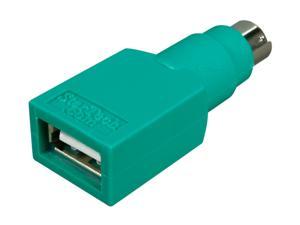
Take a given cable and there's a number of dimensions you need to considered:
- Supported power standards (none, USB, various other wattages and standards)
- Supported bandwidth. I think some don't even support data transfer (which might include the USB-C cable that comes with the Apple Macbook charger)
- Supported modes (USB, Thunderbolt, DisplayPort?)
There's no colour scheme that can adequately handle all the possible variations.
But there are other problems: it makes no sense to have all 4 ports on a 15" Macbook Pro (for example) support power. You only need one port to charge with. I think I read that not all the ports on the 13" Macbook Pro are the same (in terms of capabilities).
This is just strikes me as a (hollow) victory for principle ("one port/cable to rule them all") over pragmatism. This always reminds me of the quote: a foolish consistency is the hobgoblin of small minds.
This whole thing is expensive, unnecessary, user-unfriendly and confusing (to the average user).